English
  Russian
  French
  Italian
  German
  Japanese
  Korean
  Turkish
  Chinese
  Spanish
  Dutch
Dutch 
Have you ever wondered what that big desk with all the screens and buttons is called in high-tech control rooms? Or what the purpose of a control room console actually is? If so, you’ve come to the right place.
In this complete guide, I’ll explain everything you need to know about control room consoles in 2024.
You’ll learn:
- What a Control Room Console Is
- The Key Features of a Control Room Console
- Why Ergonomics Are So Important
- How Control Rooms Boost Productivity
- FAQs About Control Room Consoles
Let’s start with the basics…
- What Exactly Is a Control Room Console?
- Key Features of Control Room Consoles
- 1. Ergonomic Designs
- 2. Temperature/Lighting Controls
- 3. Power/Data/USB Accessibility
- 4. Cable Management Systems
- 5. Equipment Mounting
- Why Ergonomics Are So Important in Control Rooms
- How Control Rooms Boost Productivity
- 1. Superior Visibility
- 2. Enhanced Communication
- 3. Simplified Accessibility
- 4. Reduced Fatigue
- 5. Minimized Distractions
- FAQs About Control Room Consoles
- What is the average cost of a control room console?
- What technology do I need for my console?
- What materials should I choose?
- How can I accessorize and customize it further?
- How often should it be replaced?
- In Conclusion
What Exactly Is a Control Room Console?
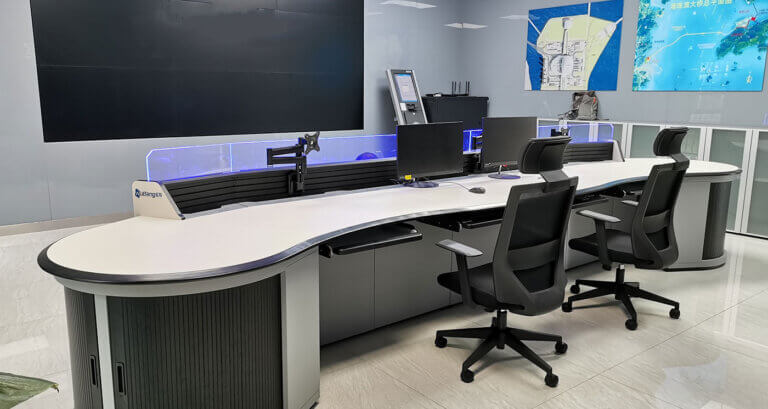
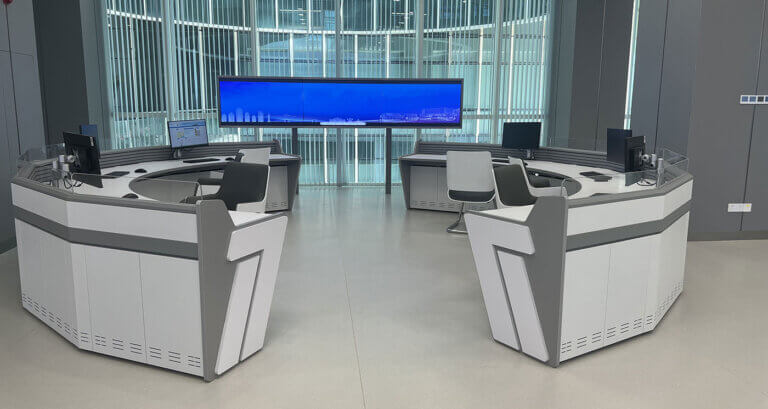
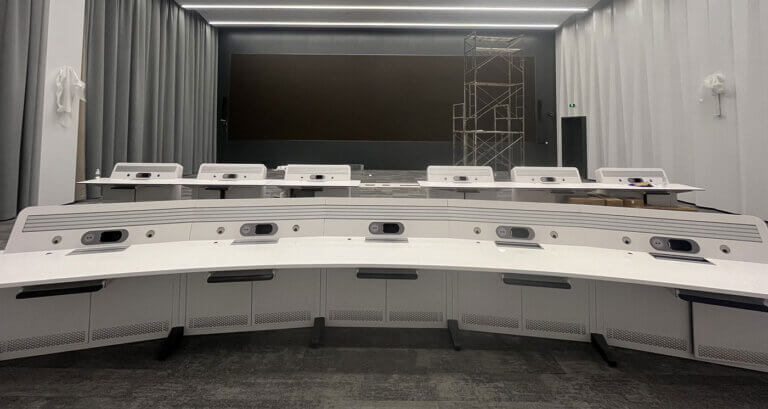
A control room console refers to the custom-built desk and workstation used by operators in mission-critical command centers.
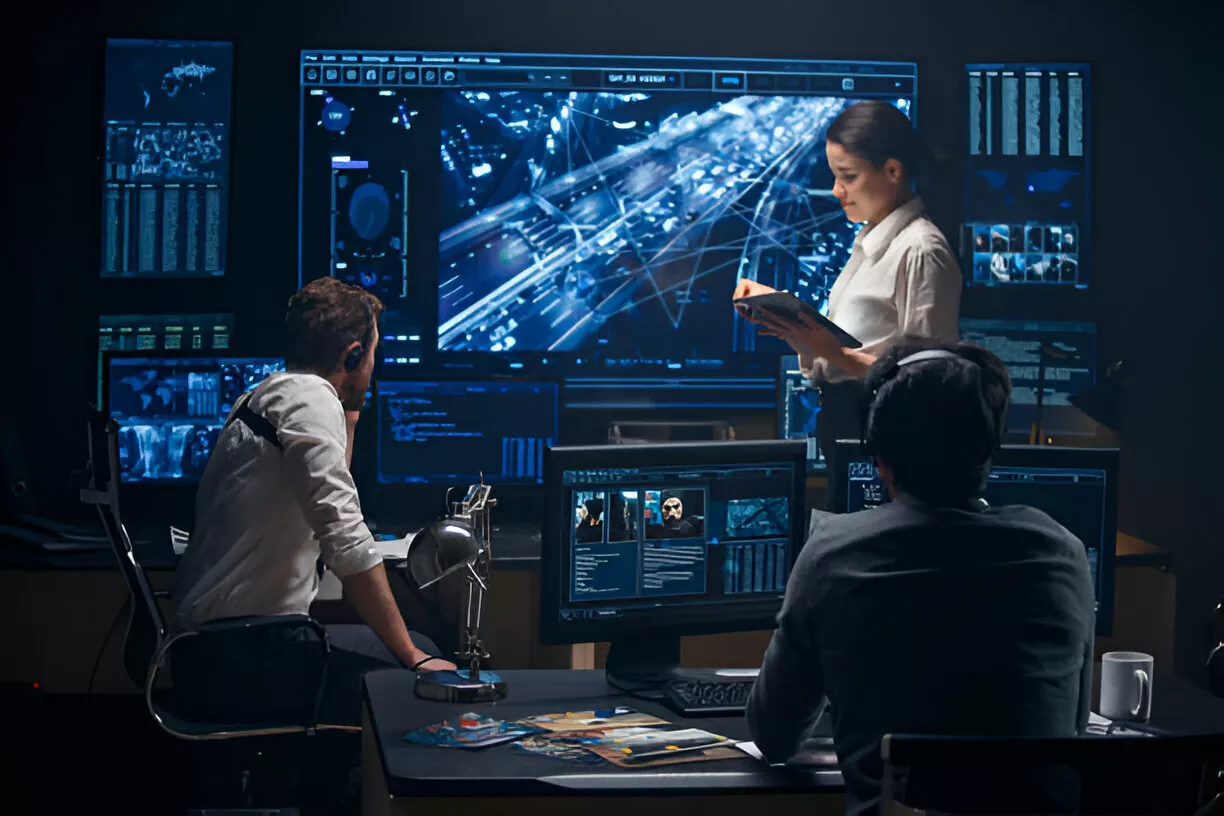
You’ve probably seen them in TV shows or movies – with rows of large screens, specialized keyboards, and panels filled with switches and flashing lights.
While Hollywood exaggerates them, these consoles serve an important purpose. They allow operators to monitor activities and systems to ensure flawless operations.
Common examples of control room console operators include:
- Air traffic controllers – Monitor flight paths and aircraft movement
- Power grid controllers – Balance electricity supply and demand
- Emergency services – Manage 911 call centers and dispatch first responders
- Military personnel – Oversee defense systems and communications
- Process plant controllers – Control variables like temperature and pressure
So in a nutshell, a control room console allows operators to control, command, communicate and coordinate in mission-critical environments.
Now that you know the basics, let’s look at the key features that set them apart from regular office setups.
Key Features of Control Room Consoles
Control room consoles need to support mission-critical operations that happen 24/7. Their designs cater specifically to user needs in these high-intensity work environments.
Here are the most important features:
1. Ergonomic Designs
Operators can spend 8 hours or longer at these stations managing life-or-death situations. As such, ergonomics are vital for their health, safety and performance.
Console elements like sit/stand desks, monitor arms, custom dimensions and integrated cable management boost comfort and accessibility. We’ll cover ergonomics more in the next section.
2. Temperature/Lighting Controls
Controlling room temperature and lighting is crucial for comfort and safety. It also helps workers stay vigilant during long, intense shifts.
Consoles come equipped with adjustable thermostats, light dimmers or blackout switches. Some even tint windows automatically to reduce glare.
3. Power/Data/USB Accessibility
Consoles integrate power outlets, Ethernet ports and easy USB access into the desk surface. This allows for seamless set up and use of computers, phones and other electronics.
4. Cable Management Systems
With electronic equipment comes cables – and lots of them. Superior cable management using trays, sleeves, runners and custom enclosures reduce clutter and trip hazards.
5. Equipment Mounting
From tablet holders to articulating monitor arms, consoles incorporate mounts and rigging for workplace accessories. This equipment positioning boosts usage and accessibility.
As you can see, control room consoles go far beyond just a desk for computers – they’re specialized environments engineered for user and operational needs.
Next let’s talk about why ergonomics are non-negotiable.
Why Ergonomics Are So Important in Control Rooms
Mission-critical workers like air traffic controllers operate in intensely stressful environments. They rely on their console setup for optimum comfort, safety and performance handling hazardous situations.
Here are key ergonomic considerations for control room consoles:
Health Risk Mitigation
Common injuries and disorders from poor ergonomics include back/neck strain, eyestrain, headaches, carpal tunnel syndrome and blood clots. Design elements like sit/stand desks and monitor orientation prevent these.
Operator Accessibility
Often operators need to rapidly reach controls, switches and touch screens. The right dimensions, heights and angles facilitate this range of movement to boost response times.
User Comfort
Comfort features like lumbar supports, tilt/swivel capabilities, integrated lighting and temperature controls reduce pain points and distractions.
Accident/Error Prevention
Non-ergonomic setups literally endanger operators. Fatigue leads to deadly mishaps like power grid failures. Control rooms minimizing injury risks boost safety and outcomes.
Optimized ergonomics empower operators to perform at their peak helping them save lives or prevent catastrophic events.
Now that you know why ergonomics are so crucial, let’s look at how consoles boost productivity.
How Control Rooms Boost Productivity
A command center is only as strong as its operators. That’s why features that remove hindrances, risks, and distractions are so pivotal.
Here are key ways optimized control room consoles increase productivity:
1. Superior Visibility
Monitor setups offer greater screen real estate for surveillance feeds, system statuses or video conferences. This superior visibility empowers faster and more accurate decisions.
2. Enhanced Communication
Consoles integrate equipment like multi-channel radios, hotlines, intercoms, conferencing gear and control room headsets. This enhanced communication facilitates better teamwork and coordination.
3. Simplified Accessibility
User-friendly designs make controls, files and equipment easily accessible. This ensures operators waste no time during high-risk, time-sensitive situations.
4. Reduced Fatigue
Ergonomic furniture keeps personnel alert, focused and energized through long shifts. Features like sit/stand desks or anti-fatigue mats achieve this.
5. Minimized Distractions
Sound-dampening panels, climate controls or customized dimensions minimize noise, glare or obstructions. This immersive experience keeps operators’ attention on tasks without diversion.
As you can see, purpose-built consoles directly support and empower operators – leading to heightened performance and productivity.
Now that you know what consoles are and why they’re integral, let’s wrap up with some frequently asked questions.
FAQs About Control Room Consoles
What is the average cost of a control room console?
The average cost ranges from $3,500 to $7,500. However, larger custom builds easily reach 6 figures depending on technology integrations and special features.
What technology do I need for my console?
Typical tech includes computers, monitors, keyboards, control panels, switches, microphones, headsets, conferencing gear, radios, phones, security equipment and more.
What materials should I choose?
Durable, high-pressure laminates withstand heavy daily usage. However specialized materials provide ESD protection, germ resistance, flame retardance or bright customizable colors.
How can I accessorize and customize it further?
Monitor mounts, adjustable keyboard trays, ergonomic seating, enhanced lighting, storage solutions and moveable components allow extensive customization.
How often should it be replaced?
With high-grade materials and designs focused on longevity most have 10+ year lifespans before needing replacement.
And there you have it – everything you need to know about control room consoles in 2024.
In Conclusion
Control room consoles are specialized command center desks decked out with cutting-edge displays, controls, communications gear and more. This allows operators to expertly coordinate, monitor and execute mission-critical operations.
Their superior ergonomic designs keep users safe, healthy and performing at their peak all shift long. And purpose-built features help simplify tasks, boost visibility, accuracy, speed and overall productivity.
So for mission-critical teams, these specialized consoles literally empower and equip them to accomplish the extraordinary 24/7.
I hope this guide gave you keen insights into these incredible command centers powering our world! Let me know by submitting a form if you have any other questions.